Upgrading Ashur Hall from a Digital Menu to a Full Menu Management System
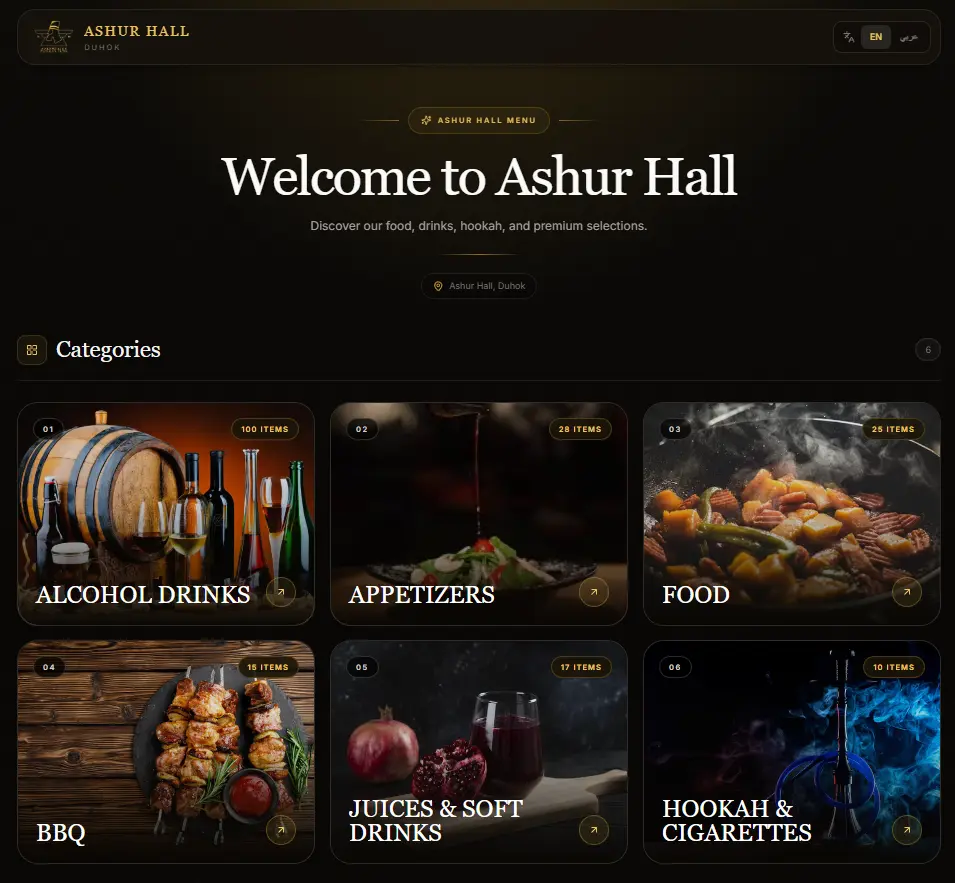
Ashur Hall originally needed a digital menu that customers could open through a QR code.
At first, the goal was simple: create a clean online menu that looked good, worked well on phones, and made it easier for customers to browse food and drink items.
But as the business grew and the menu changed, the project needed to evolve.
A static menu is useful, but it still creates one major problem: every price change, item update, image change, or category adjustment requires developer work.
That is why I upgraded the project into a full menu management system.
The problem
Restaurants, cafés, and halls change their menus often.
Items can become unavailable. Prices change. New items are added. Old items are removed. Images need to be replaced. Categories need to be reorganized.
If the menu is static, every small update becomes a technical task. That slows the business down and makes the system harder to maintain.
Ashur Hall needed a better solution.
The solution
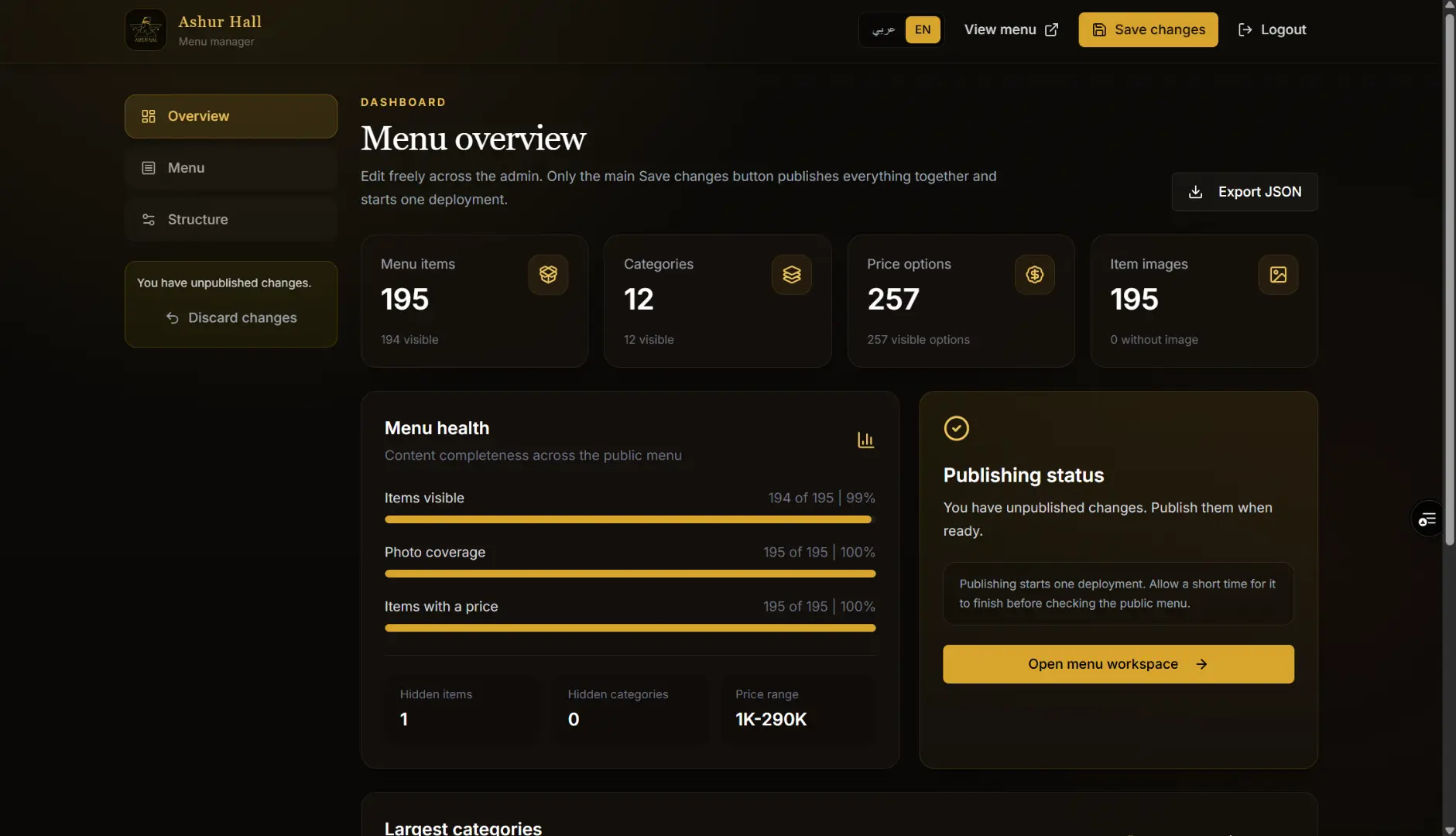
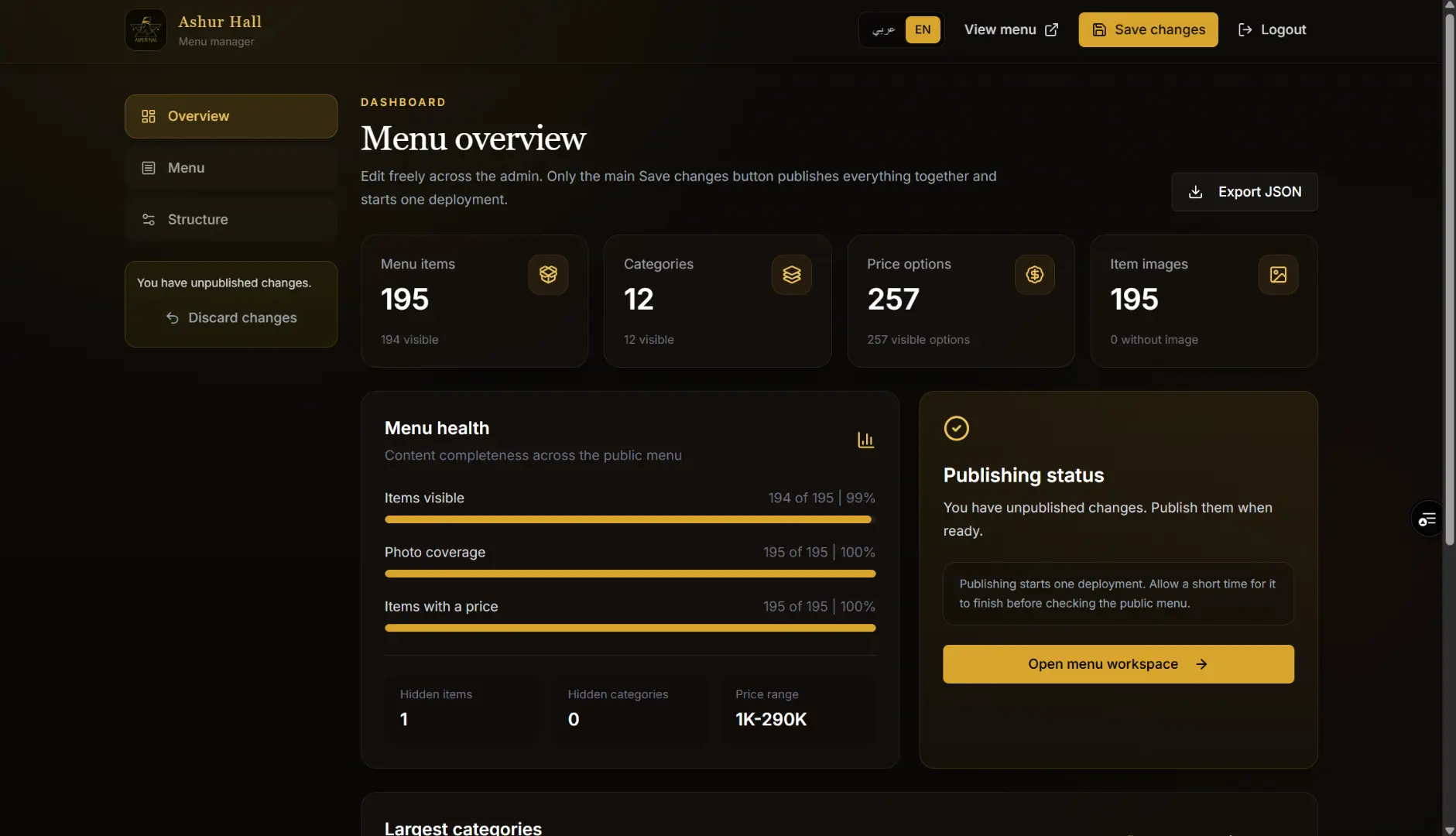
I upgraded the Ashur Hall menu into a custom digital menu and CMS.
The public side gives customers a clean, fast, mobile-friendly menu experience. The admin side gives the business control over the actual menu content.
Instead of contacting a developer for every change, the business can manage its own menu through a private dashboard.
Key features
The system includes:
Public digital QR menu
Admin dashboard
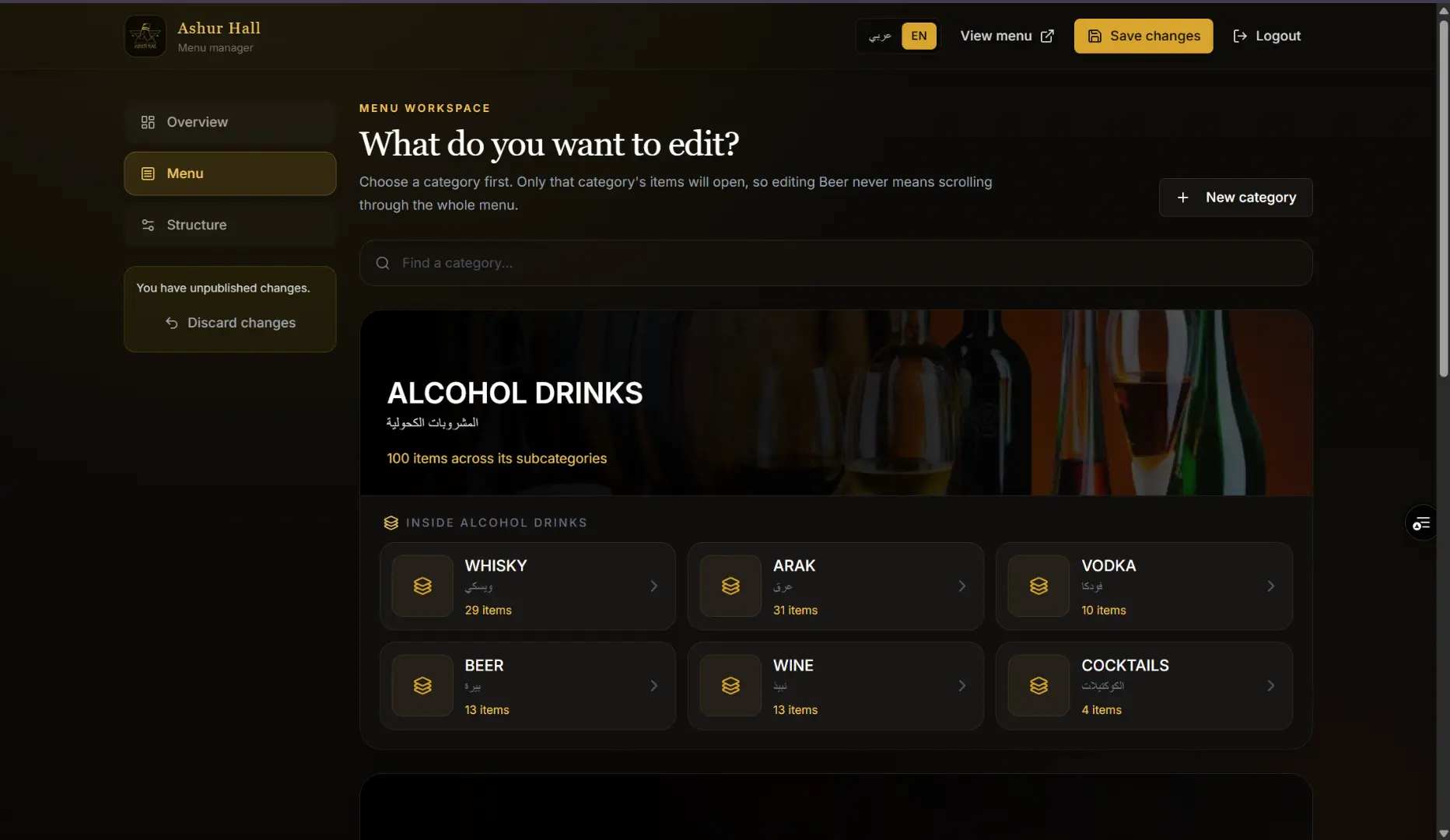
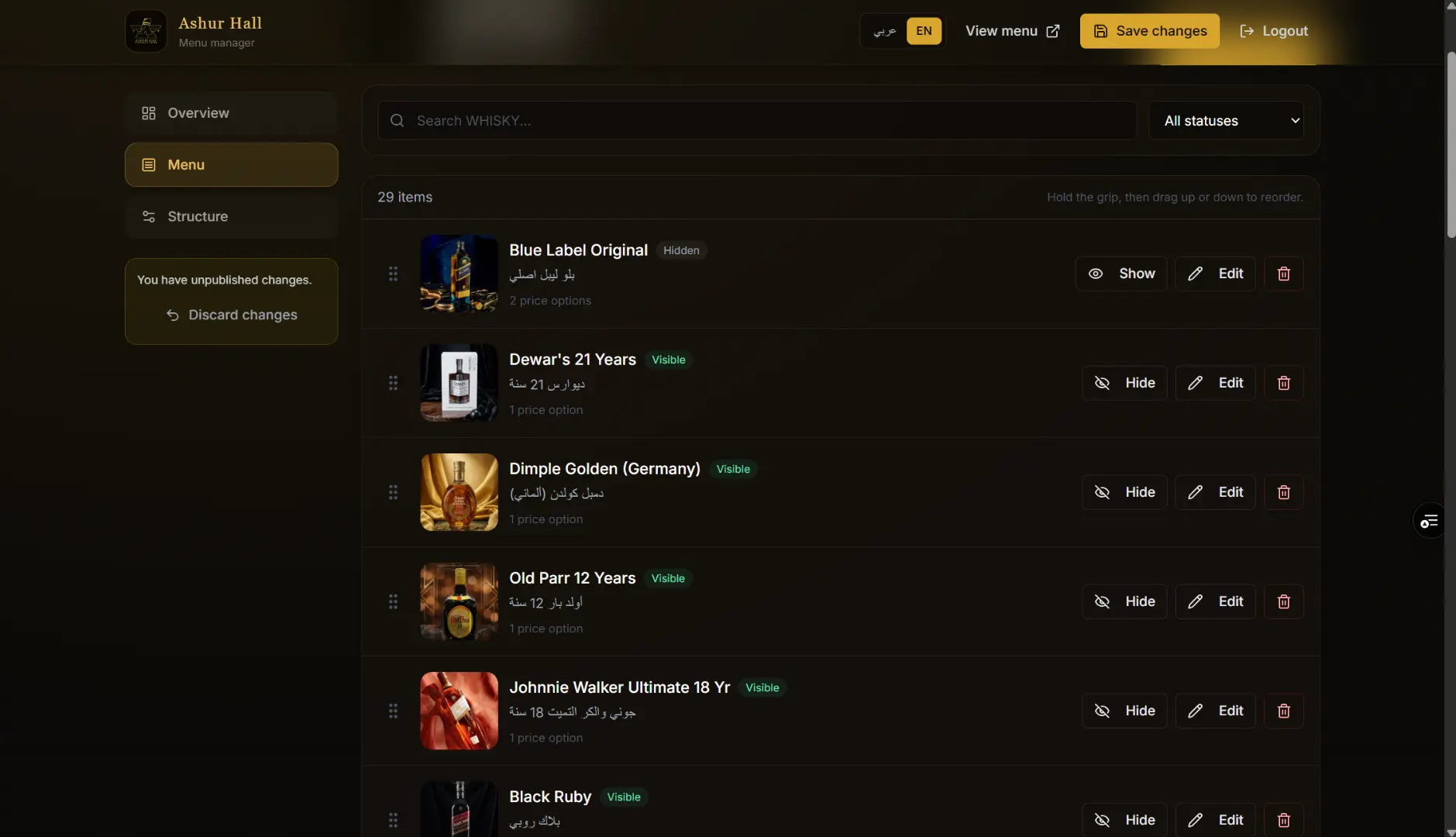
Add, edit, and hide menu items
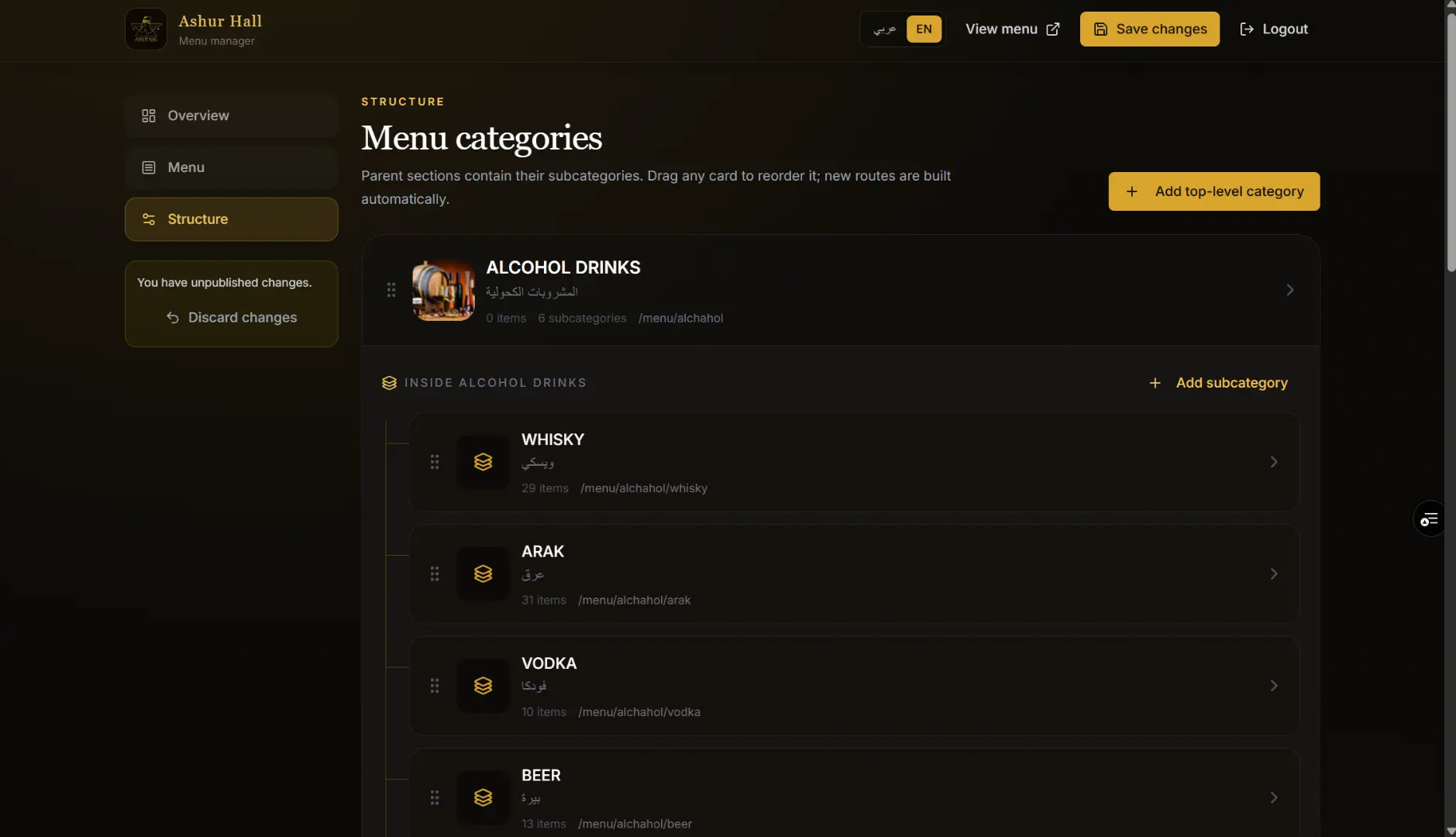
Category and subcategory management
Price updates
Image management
Item visibility control
Mobile-friendly customer experience
Optimized images
Clean navigation for large menus
The focus was to make the system easy for the business owner while keeping the customer-facing menu polished and fast.
Why the CMS matters
The CMS is the most important part of the upgrade.
A digital menu should not only look good. It should also be easy to manage. If a business has to call a developer every time it wants to change a price, the system is not flexible enough.
With the CMS, Ashur Hall can manage its own menu without touching code.
That makes the project more useful, more professional, and more valuable long-term.
Technical approach
The project was built with a modern web stack focused on performance, maintainability, and ease of use.
The customer menu was designed to load quickly and work well on mobile devices. The admin dashboard was built around simple controls so the business can update content without needing technical knowledge.
The system also handles a large number of menu items, categories, and images while keeping the experience organized.
What I learned
This project showed me how important maintainability is in client work.
A beautiful website is good, but a website that the client can actually manage is much better.
For businesses, control matters. They want to move fast, update prices, change items, and keep their content fresh without waiting on someone else.
That is what made the CMS upgrade valuable.
Final result
Ashur Hall now has more than just a digital menu. It has a custom menu management system that gives the business control over its content while giving customers a clean browsing experience.
This project is a good example of how a simple website can grow into a real business tool when it is built around the client’s actual workflow.
How it looks: